
Cook Well - Cook More at Home
Cook Well, Co.Food & Drink
3.132.00 Reviews
- Version
- 1.0.8
- Installs
- 10.00K
- Age Rating
- Everyone
Screenshots
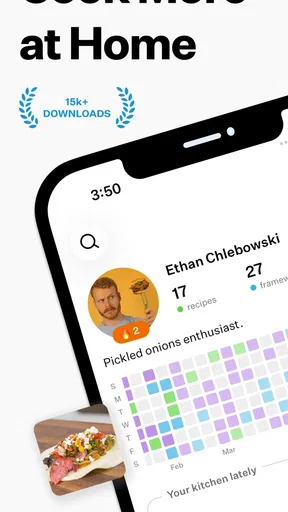
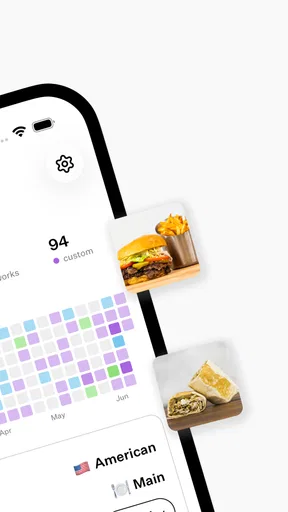
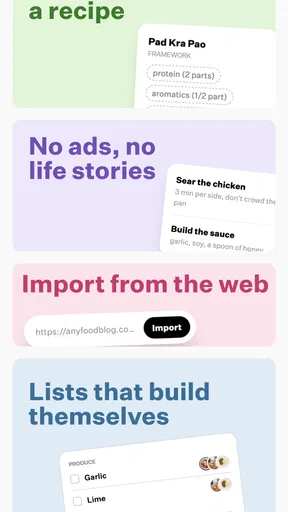
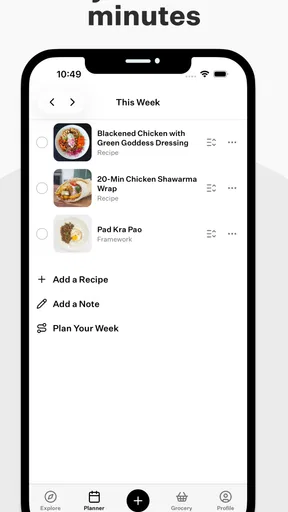
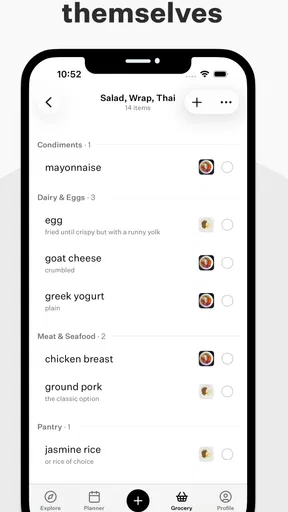
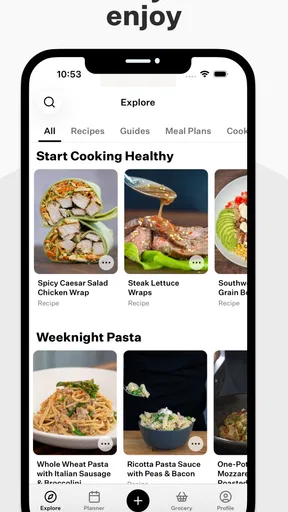
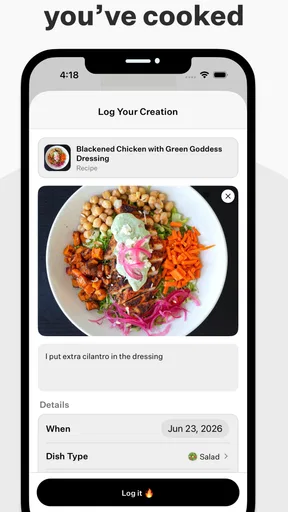
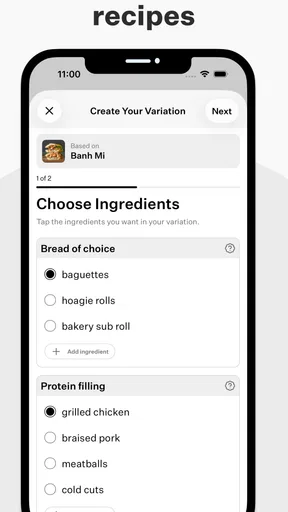
Our Review of Cook Well - Cook More at Home
 Analysis by Appyee
I went into Cook Well - Cook More at Home with a simple question: can a lightweight food and drink app actually make home cooking easier to maintain, rather than merely reminding me that cooking is a good idea? My answer is cautiously positive. The app is aimed at building cooking habits, and that focus gives it a more practical purpose than a recipe collection that I open once, browse for a few minutes, and forget.
It is a free app from Cook Well, Co., available for Everyone and running on Android 7.0 or later. The current release is version 1.0.8, and its audience is still relatively small, with over ten thousand installs. That matters because I would approach it as a developing habit tool rather than a mature, all-purpose kitchen reference. Its average rating is 3.1 from around one hundred ratings, so the public response is mixed enough to encourage a careful trial instead of an automatic recommendation.
What I would look for before choosing a cooking habit app
When I decide whether an app deserves a permanent place on my phone, I do not start with the number of recipes. I first ask whether it solves the problem I actually have. For me, that problem is usually not a lack of recipe ideas. It is the gap between intending to cook and having enough structure to begin when work has been tiring, the kitchen is untidy, or I have forgotten to plan.
That is where Cook Well has a clear identity. Its store summary is about creating home cooking habits, and the short description simply calls it Cook Well. The wording is spare, but the direction is understandable: this is not presented as a specialist nutrition calculator, a restaurant finder, or a replacement for a professional culinary reference. I would judge it mainly on whether it helps turn cooking into a repeatable part of the week.
A useful decision criterion is the amount of effort required before the app becomes useful. A habit app should not make me complete a long setup process every time I want to prepare dinner. It should also avoid making me feel guilty when a busy day gets in the way. The best experience for this category is a gentle prompt toward an achievable action, not a complicated system that becomes another chore.
I would also consider how much independence I need in the kitchen. Someone who wants exact nutritional calculations, specialist dietary filtering, advanced meal preparation, or a large searchable recipe archive may need a more established cooking service. Someone who mainly wants encouragement and a reason to cook at home may be better served by a narrower tool. That distinction is more important than the app’s free download label.
The first impression and everyday usefulness
In everyday use, I found the most useful way to think about the app was as a starting point for a routine. I would open it before deciding what to do with the evening, rather than after I had already chosen a meal. That small change is valuable. If I wait until I am hungry and tired, I tend to choose the easiest takeaway option or eat something random. If I use a cooking-focused app earlier, I have a better chance of making a deliberate choice.
A realistic scenario is a weekday when I finish work with less energy than expected. Instead of searching broadly through recipes, I can use the app as a nudge to make one manageable home-cooked meal. The important win is not culinary ambition. It is lowering the mental barrier between “I should cook” and “I will start now.” For beginners, that psychological step can be more useful than a large library of impressive dishes.
I also like the idea of separating habit-building from performance. A person does not need to produce restaurant-quality food to benefit from cooking more often. A simple meal prepared consistently can improve confidence, reduce dependence on last-minute food choices, and make shopping easier to anticipate. Cook Well makes sense when the goal is this kind of steady progress.
Where Cook Well has the strongest case
The strongest case is for someone who already knows a few basic meals but struggles to repeat the behavior. That includes students, new renters, busy workers, and anyone trying to move from occasional cooking to a more dependable routine. I would also consider it for a household where one person wants a little structure without turning dinner into a shared project-management exercise.
Its focused purpose can be an advantage. A broad recipe platform often gives me too many choices. I can spend longer browsing than cooking, especially when every recipe looks appealing but none fits the ingredients, time, or energy I have available. A habit-oriented app has the potential to keep the decision closer to the real objective: preparing food at home.
Another non-obvious advantage is that it can help reveal the difference between a motivation problem and a planning problem. If I repeatedly open a cooking app but still do not cook, I may not need more encouragement. I may need groceries ready, simpler recipes, better equipment, or a schedule that leaves enough time. Used honestly, Cook Well can show whether a habit prompt is enough to change behavior. If it is not, I know the obstacle is probably outside the app.
I would use it alongside a short list of reliable meals rather than expecting it to replace all kitchen knowledge. For example, I might keep ingredients for a few flexible dishes and use the app to maintain the rhythm of preparing them. This reduces the cost of each cooking session because I am not starting with an empty cupboard, an unfamiliar recipe, and a large cleanup task at the same time.
Practical ways to get more from the habit focus
My first tip is to define success narrowly. Do not treat a complicated dinner as the only successful outcome. Preparing a basic meal, assembling ingredients before the evening rush, or cooking enough for another serving can all support the same habit. If the app encourages you to cook, make the action small enough that you can still complete it on a low-energy day.
My second tip is to pair the app with a fixed shopping routine. A habit reminder cannot solve an empty refrigerator. I would choose a regular grocery day, buy ingredients that can work in more than one meal, and then use Cook Well as the prompt to turn those ingredients into food. This creates a useful division of labor: the shopping routine handles availability, while the app supports follow-through.
My third tip is to treat missed days as information rather than failure. If cooking repeatedly falls apart on late work nights, shift the most demanding meals to days with more time. If the problem is cleanup, choose one-pan or batch-friendly options from whatever cooking resources you already use. The app can support consistency, but it cannot remove the physical work of preparation. Recognizing that trade-off keeps expectations realistic.
A fourth useful workflow is to use the app before opening a general recipe search. Broad searches are excellent when I have a specific ingredient or occasion in mind, but they can also create choice overload. Starting with the habit objective gives me a reason to stop browsing sooner. I can then use another recipe source only when I need exact instructions, substitutions, or dietary details.
Where other types of apps may fit better
Cook Well is not automatically the best choice for every home cook. If my main need is recipe discovery, a dedicated recipe app with extensive search, categories, photographs, and ingredient filters would probably be a better fit. Those services are designed for answering “what can I make with this?” rather than “how do I make cooking a regular behavior?” The right choice depends on which question is blocking me.
A meal-planning app may be preferable when my biggest difficulty is organizing several days of food. Planning tools usually make more sense for people who want a shopping list, a schedule, leftovers planned in advance, or a clear separation between breakfast, lunch, and dinner. I would choose that category when the household is losing time to daily decisions rather than losing motivation to cook.
For nutritional goals, I would look elsewhere. Anyone managing calories, allergies, medical restrictions, protein targets, or a carefully controlled eating plan needs information that a general habit-focused app may not provide. In that situation, precision matters more than encouragement. Cook Well could still be a motivational companion, but I would not make it the sole authority for dietary decisions.
Video-first cooking platforms also have a different strength. They are often better when I need to see knife technique, dough texture, pan movement, or the visual signs that food is ready. A habit app may help me begin, but it cannot replace visual instruction when I am learning a difficult method. For a novice who feels unsure about basic techniques, combining a habit prompt with trusted instructional content may be more effective than relying on either category alone.
There is also a case for using no dedicated app at all. A paper meal calendar, a shared household note, or a recurring phone reminder may be enough for someone who already has motivation and only needs a prompt. Cook Well earns its place when its cooking-specific focus feels more useful than a generic reminder. If I am disciplined enough to maintain a simple routine myself, installing another app may add little.
Free access, upgrades, and the cost of switching
The app is free to download, which makes trying it relatively easy. That lowers the risk for a curious beginner: I can test whether a cooking-habit approach fits my routine before committing money. At the same time, in-app purchases range from $9.99 to $84.99 per item, so I would pay close attention to any upgrade screen and make sure I understand what is included before confirming a purchase.
That price range creates an important decision point. A low-cost trial can be sensible if the app changes my behavior, but a higher-priced purchase deserves comparison with alternatives that solve a more specific problem. If I need structured meal planning, detailed recipes, or dietary tracking, I would compare the upgrade against apps built around those functions rather than paying simply because I like the idea of cooking more.
The cost of switching is not only financial. It also includes the effort of learning a new routine, entering preferences if required, remembering to open the app, and deciding whether it is actually helping. I would give the free experience enough time to cover different kinds of days: a relaxed weekend, a rushed workday, and a day when I have little food available. That gives a more honest picture than judging it after one enthusiastic cooking session.
I would also avoid building my entire food system around a single app too quickly. Keep a basic backup plan: a few dependable meals, a short shopping list, and a separate source for detailed cooking instructions when needed. This makes it easier to stop using Cook Well if it does not fit, without losing the progress already made in the kitchen.
Who should try it and who should skip it
I would recommend giving it a trial if you want to cook at home more often but keep postponing the first step. It is especially suitable for people who respond well to a focused nudge and do not need a highly technical food-management system. The Everyone content rating also makes it broadly approachable for households looking for a simple cooking-oriented app rather than something aimed at a specialist audience.
I would be more cautious if you expect a complete recipe encyclopedia, detailed nutrition analysis, or a sophisticated household planner. The mixed average rating of 3.1 suggests that the experience will not satisfy every user equally, and the modest install base means I would not assume it has the depth or polish of the largest services in the food category.
I would also skip it if I already cook consistently and have a reliable system for planning meals. In that case, a specialized recipe source, pantry organizer, or grocery-list tool may offer more practical value. An app designed to build a habit is most useful before the habit is stable, not necessarily after it has become automatic.
My recommendation after weighing the trade-offs
My recommendation is to treat Cook Well as a focused experiment in consistency, not as a complete kitchen companion. The free entry point makes that experiment reasonable, while the paid options mean I would not rush into an upgrade. First, I would see whether opening it changes what I do on ordinary evenings, especially when motivation is low.
For me, the app’s best quality is its clear behavioral target. It encourages me to think about cooking as something I practice, not something I attempt only when I feel inspired. That is a useful perspective, and it can make a real difference for someone whose main obstacle is starting. The trade-off is that motivation alone cannot provide groceries, technique, dietary precision, or a detailed meal calendar.
So I would choose it over a general recipe browser when my problem is follow-through. I would choose a meal planner when my problem is organization, a nutrition tool when my problem is dietary control, and a video cooking service when my problem is technique. If your situation matches the first category, Cook Well is worth a careful free trial, with realistic expectations and a close eye on optional purchases.
After that trial, the decision should be straightforward: keep it if it helps you cook on the difficult days, not just the easy ones. That is the standard I would use. A cooking app does not need to transform every meal to be valuable, but it does need to make the next home-cooked meal feel more achievable. For the right user, that focused role is enough to make Cook Well a useful addition to a food and drink toolkit.
Verdict
Strengths of Cook Well - Cook More at Home
- Simple recipes suit beginners and everyday home cooking.
- Encourages healthier meals by reducing reliance on takeout.
- Helpful meal ideas can make weekly planning easier.
- Recipes use familiar ingredients available in most supermarkets.
- Cooking at home can help lower food expenses over time.
Limitations of Cook Well - Cook More at Home
- Some recipes may require ingredients not available in every region.
- Portion sizes may need adjustment for families or meal prep.
- Dietary filters may be limited for allergies or specific eating plans.
- Recipe instructions may not cover every cooking technique in detail.
- Frequent cooking still requires shopping, preparation, and cleanup time.
Similar Picks in This Category
View All
Rappi: Food Delivery, Grocery
Rappi, Inc - Delivery3.5

McDonald’s: Cupons e Delivery
Arcos Dorados4.3

Swiggy: Food Instamart Dineout
Swiggy4.7

Blinkit: Groceries & more
Blinkit4.8

foodpanda: food & groceries
Foodpanda GmbH a subsidiary of Delivery Hero SE4.0

Zomato: Food Delivery & Dining
Zomato4.7
Frequently Asked Questions
What is Cook Well - Cook More at Home?
Cook Well - Cook More at Home is a cooking-focused app designed to help users prepare more meals in their own kitchen. It offers recipe inspiration, practical cooking guidance, and ideas for everyday dishes. The app is useful for beginners and more experienced home cooks who want to organize meals, discover new recipes, and reduce the need to rely on takeout.
Does Cook Well - Cook More at Home include recipes for beginners?
Yes, the app is suitable for beginners because its recipes are presented in a practical and approachable way. Users can explore meal ideas without needing advanced culinary skills or professional equipment. However, preparation times and difficulty may vary between recipes, so it is still important to read the full instructions and check the ingredient list before starting to cook.
Can I use Cook Well - Cook More at Home to plan my meals?
Cook Well - Cook More at Home can be helpful for planning meals by giving users a collection of dishes to consider throughout the week. Browsing recipes before shopping may make it easier to prepare an ingredient list and avoid unnecessary purchases. The app works best as a source of planning inspiration, although users may still need to organize their schedule and shopping manually.
Are the recipes in Cook Well - Cook More at Home suitable for special diets?
The app may include recipes that can fit different eating preferences, but users should not assume that every dish is automatically vegetarian, vegan, gluten-free, low-calorie, or suitable for allergies. Always review the ingredients, substitutions, and preparation details carefully. People with serious food allergies or medical dietary requirements should verify every ingredient independently before preparing or eating a recipe.
Is Cook Well - Cook More at Home free to download and use?
The availability of free features, optional premium content, advertisements, or in-app purchases can depend on the version of Cook Well - Cook More at Home and the platform where it is downloaded. Before installing, check the official Google Play Store or Apple App Store listing for current pricing and subscription details. Reviewing permissions and purchase information is also recommended before using the app regularly.
